

10 Smart Home Gadgets for Quick Fixes in 2026
Table of Contents
- Quick Comparison: 10 Smart Home Gadgets for Quick Fixes
- How We Evaluated These Smart Home Gadgets
- 1. Birdfy Smart Bird Feeder Camera: Instant Backyard Wildlife Monitoring
- 2. Birdfy AI Bird Feeder Camera with Lifetime Free AI: Real-Time Species Alerts
- 3. DEWENWILS 8-Outlet Power Strip: Fix Outlet Shortages in Minutes
- 4. RYOBI ESF5002 Stud Detector: Find Studs Before You Drill
- 5. RYOBI Whole Stud Finder T-469: Metal Stud Detection Made Simple
- 6. IDENTIBOLT XL Thread Checker: End the Bolt-Guessing Game
- Frequently Asked Questions
Last Updated: September 26, 2026
Quick Comparison: 10 Smart Home Gadgets for Quick Fixes
Smart home gadgets are devices that add automation, monitoring, or remote control to everyday household tasks without requiring a full renovation. The best ones solve a specific annoyance in minutes, not weekends.
This guide covers 10 smart home gadgets for quick fixes, from a solar-powered bird feeder camera to a stud finder that ends the guesswork before you drill.
Below, we'll show you exactly what each gadget fixes, what it costs, and where it falls short. Most of these install in under 30 minutes with no wiring.
| Gadget | Price | Fixes | Setup Time |
|---|---|---|---|
| Birdfy Smart Bird Feeder Camera | $110.00 | Backyard monitoring | 10 min |
| Birdfy AI Feeder with Lifetime Free AI | $135.00 | Species identification | 10 min |
| DEWENWILS 8-Outlet Power Strip | $30.99 | Outlet shortages | 2 min |
| RYOBI ESF5002 Stud Detector | $19.50 | Blind drilling | 5 min |
| RYOBI Whole Stud Finder T-469 | $30.00 | Metal stud detection | 5 min |
| IDENTIBOLT XL Thread Checker | $59.00 | Bolt guessing | Instant |
How We Evaluated These Smart Home Gadgets
Each pick had to solve a real household problem in under 30 minutes of setup, with no professional installation required.

We weighed four factors: how fast the fix works, whether it pairs with a phone app or works standalone, durability in normal home conditions, and price against what it replaces. Gadgets that needed a subscription to function at all ranked lower. [Consumer Reports guide to smart home(/blogs/news/smart-home-devices-remote-monitoring) device testing | consumerreports.org] notes that subscription-free operation is one of the biggest predictors of long-term satisfaction.
One thing most roundups miss: a gadget that fixes one thing well beats a hub that half-works with everything. Every item here earns its place.
1. Birdfy Smart Bird Feeder Camera: Instant Backyard Wildlife Monitoring
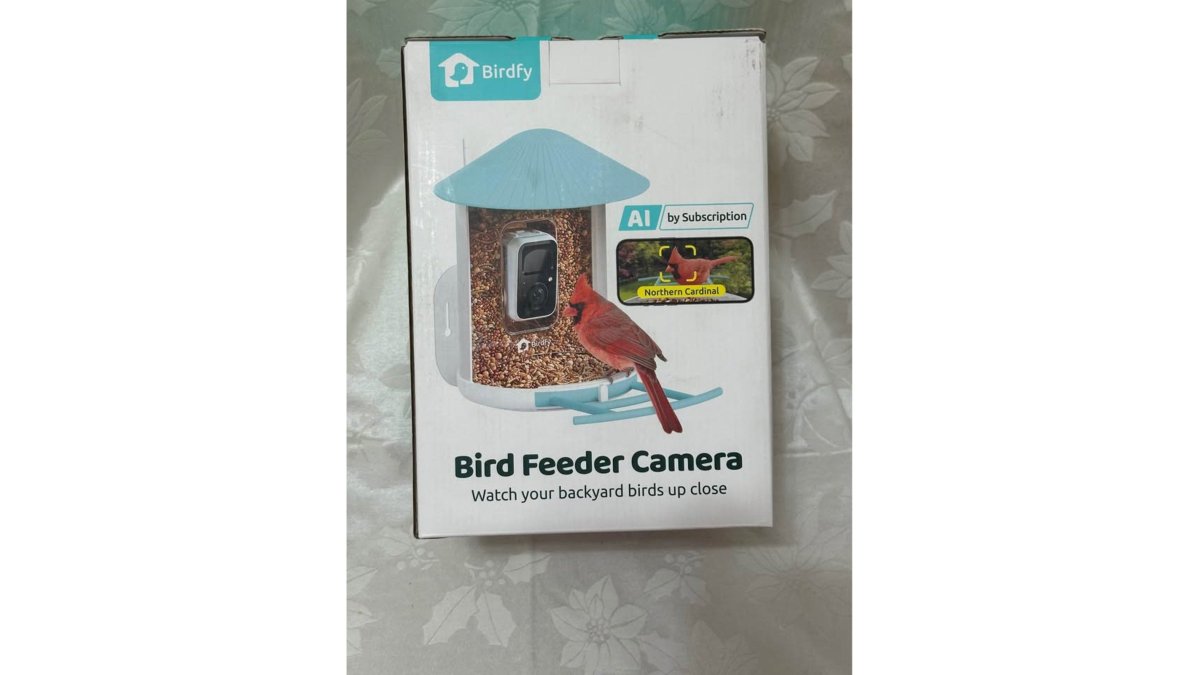
The Birdfy Smart Bird Feeder Camera is a solar-powered feeder with a 1080P wide-view camera that streams backyard wildlife straight to your phone. It identifies birds across more than 6,000 species using built-in AI.

Setup takes about 10 minutes. Mount it on a pole, tree, or wall using the included hardware, and the IP65 waterproof housing handles rain without extra shelter. The box includes the feeder, user manual, quick start guide, and accessory box. Note that the solar panel is optional and not included, so plan for that if you want cord-free charging.
Pros:
- Solar-powered operation with no wiring
- AI identification for 6,000+ species
- Three mounting options included
Cons:
- Solar panel sold separately
- Local pickup only
2. Birdfy AI Bird Feeder Camera with Lifetime Free AI: Real-Time Species Alerts
The Birdfy AI Bird Feeder Camera with Lifetime Free AI adds real-time notifications and cloud storage to the same 1080P platform, and the lifetime free AI means no recurring identification fee.
This is the upgrade worth considering if you want photos pushed to your phone the moment a bird lands. It includes 20+ free access slots, so family members can view the feed too. It's listed here at $135.00. Like the standard model, it ships with the feeder, manual, quick start guide, accessory box, and an optional solar panel.
Pros:
- Lifetime free AI identification, no subscription
- Real-time push notifications
- Cloud storage included
Cons:
- Higher upfront cost than the base model
- Local pickup only
3. DEWENWILS 8-Outlet Power Strip: Fix Outlet Shortages in Minutes
The DEWENWILS 8-Outlet Power Strip turns one wall outlet into eight, with a 15-foot cord that reaches across the room. Setup takes two minutes: plug it in and go.
The lighted switch shows power status at a glance, useful when a device silently stops charging. Durable plastic construction holds up to daily use in a home office or garage. The Type B plug fits standard household outlets.
Pros:
Birdfy Smart Bird Feeder Camera →
- 15-foot cord reaches awkward spaces
- Lighted switch for quick status checks
- Eight outlets from a single plug
Cons:
- Not a surge protector
- Cord length can clutter small rooms
4. RYOBI ESF5002 Stud Detector: Find Studs Before You Drill
The RYOBI ESF5002 Whole Stud Detector is an electronic stud finder that locates framing behind drywall so you can hang a shelf, mount a TV bracket, or anchor a cabinet without drilling into empty space. It uses electric measuring technology with an auto deep scan mode, which is the setting most people need for standard half-inch drywall over wood studs.

The quick fix it solves: a mis-drilled hole. A single wrong hole in drywall means spackle, sanding, paint, and a second attempt, easily an hour of work for a five-second mistake. The ESF5002's built-in stud marker lets you mark the center of a stud before you commit the bit, which is the step that prevents the do-over.
How the mechanism actually works: electronic stud finders like this one measure changes in the wall's capacitance (its ability to hold an electrical charge).
Pros:
- Auto deep scan for standard drywall-over-wood framing
- Built-in marker for drill placement
- Battery included, no calibration
Cons:
- Learning curve on deep scan mode
- Plastic body feels light
- Unreliable on tile, plaster, or metal lath
5. RYOBI Whole Stud Finder T-469: Metal Stud Detection Made Simple
Pros:
- Detects metal studs up to 1.5 inches
- LED indicator is easy to read in dim light
- No calibration, no learning curve
Cons:
- Requires two AAA batteries
- Hand tool only, no auto-scan or depth readout
- Not a substitute for an electronic finder on wood-framed walls
6. IDENTIBOLT XL Thread Checker: End the Bolt-Guessing Game
The IDENTIBOLT XL Thread Checker identifies bolt and nut thread sizes in both metric (MM) and standard (IN) sizes. If you've ever made three trips to the hardware store with the wrong bolt, this ends that.
Pros:
- Covers both metric and standard threads
- Instant identification
- All sizes present on one tool
Cons:
- Highest price in this list
- Overkill for a single project
Frequently Asked Questions
What are the most useful smart home gadgets for beginners?
Start with gadgets that solve an immediate annoyance. A smart bird feeder camera like the Birdfy gives you instant wildlife monitoring with no wiring. An 8-outlet power strip fixes crowded outlets in minutes. A stud finder prevents wall damage before you hang anything. These smart home gadgets require no hub, no subscription, and no professional installation. Each one works straight out of the box, so you build confidence before tackling a full ecosystem.
Do smart home gadgets require professional installation?
Most entry-level smart home gadgets are plug-and-play. The Birdfy feeder mounts on a pole, tree, or wall with basic hardware. Power strips and stud finders need zero setup beyond batteries. Laser levels and trim pullers are hand tools. You only need professional help for hardwired security cameras, smart thermostats that connect to HVAC systems, or whole-home automation panels. For quick fixes, stick with battery-powered or plug-in devices and save the installation cost.
How can smart home devices improve home efficiency?
The biggest efficiency gains come from scheduling and remote monitoring. Smart plugs on lamps and chargers cut phantom power draw when you set timers. A bird feeder camera with solar power runs indefinitely without you remembering to charge it. Stud finders and laser levels reduce wasted materials from failed drilling attempts. Energy monitoring plugs show which appliances drain the most, so you can adjust habits. Each gadget targets one inefficiency instead of trying to automate everything at once.
Are smart home devices worth the investment for quick home improvements?
It depends on the fix. A $19.50 stud finder saves you from patching drywall after a failed shelf mount. A $45 wet/dry hand vacuum handles spills that would otherwise stain. A $110 bird feeder camera adds daily entertainment and wildlife data with no recurring fee. The math works when the gadget prevents a repair bill, replaces a service call, or gets daily use. Skip anything that duplicates a feature you already have.
How do I choose the right smart home ecosystem?
Check three things before buying: wireless connectivity (Wi-Fi, Bluetooth, or Matter), compatibility with your phone's voice assistant, and whether the device needs a hub. Matter protocol is the safest bet for future interoperability. For quick fixes, prioritize standalone gadgets that work without a hub. The Birdfy feeder connects directly to your phone. Power strips and tools need no ecosystem at all. Build around devices that work independently first, then add a hub if you want centralized control.