

7 Best Smart Home Tools for Small Apartments in 2026
Table of Contents
- Why Small Apartments Need Smart Home Tools
- Quick Comparison: 7 Best Smart Home Tools for Small Apartments
- 1. Ryobi ONE+ Cordless Drill Driver: Best for Renter-Friendly Installation
- 2. Ryobi PCL235 Compact Impact Driver: Best for Tight Spaces
- 3. RYOBI ESF5002 Stud Detector: Best for Safe Wall Mounting
- 4. DEWENWILS 8-Outlet Power Strip: Best for Smart Home Power Management
- 5. DEWALT 20V MAX Flashlight: Best for Emergency and Task Lighting
- 6. Yellow Jacket Extension Cord Holder: Best for Cable and Cord Organization
- 7. RIDGID Fabric Tool Bag: Best for Storing Everything
- Frequently Asked Questions
Last Updated: September 16, 2026
Why Small Apartments Need Smart Home Tools
Smart home tools for small apartments solve a specific problem: automation and monitoring without drilling into walls you don't own or rewiring a rental. That constraint changes which devices make sense.
Quick Comparison: 7 Best Smart Home Tools for Small Apartments
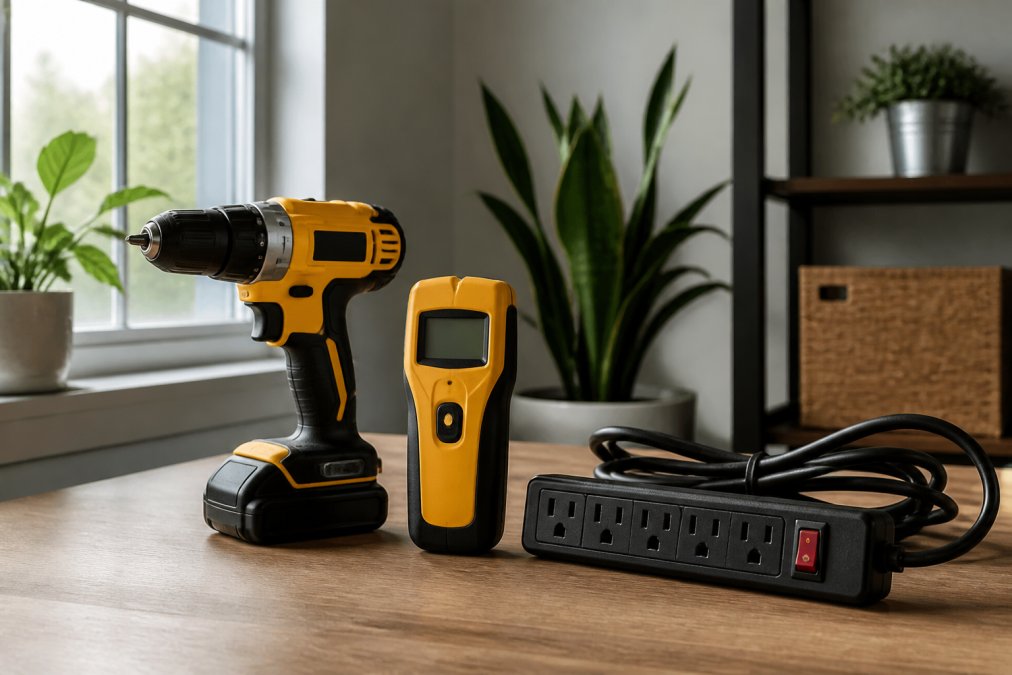
| Tool | Price | Best For | Key Detail |
|---|---|---|---|
| Ryobi ONE+ Cordless Drill Driver | $35.00 | Renter-friendly installation | 18V, keyless chuck, compact |
| Ryobi PCL235 Compact Impact Driver | $40.00 | Tight spaces | 18V, lightweight |
| RYOBI ESF5002 Stud Detector | $19.50 | Safe wall mounting | Auto deep scan, one-handed |
| DEWENWILS 8-Outlet Power Strip | $30.99 | Power management | 15ft cord, lighted switch |
| DEWALT 20V MAX Flashlight | $43.65 | Emergency and task lighting | Portable LED |
| Yellow Jacket Extension Cord Holder | $19.87 | Cable organization | 2-pack, portable |
| RIDGID Fabric Tool Bag | $18.00 | Storing everything | 13x10x3 inches, zipper |
1. Ryobi ONE+ Cordless Drill Driver: Best for Renter-Friendly Installation
The Ryobi ONE+ Cordless Drill Driver is the most useful tool for apartment smart home setup because it handles the pilot holes, bracket screws, and anchor points most renter-friendly mounts require. At $35.00, it's the entry point for shelves, curtain rod brackets, or wall-mounted sensor cradles.

2. Ryobi PCL235 Compact Impact Driver: Best for Tight Spaces
The Ryobi PCL235 18V Cordless Compact Impact Driver earns its place when driving longer screws into studs or assembling flat-pack furniture that doubles as a hub stand. It's $40.00 and built for the narrow gaps an apartment throws at you.

3. RYOBI ESF5002 Stud Detector: Best for Safe Wall Mounting
The RYOBI ESF5002 Stud Detector prevents the most expensive apartment mistake: drilling where there's no stud, then watching a mounted device pull free. It costs $19.50 and uses electric measuring technology with auto deep scan.

4. DEWENWILS 8-Outlet Power Strip: Best for Smart Home Power Management
The DEWENWILS 8-Outlet Power Strip addresses the real bottleneck in small apartments: too many devices, too few outlets. It's $30.99 and turns one wall socket into eight, with a 15ft cord that reaches across a room.
How to plan power density in a small apartment
Treat each room zone as its own power budget:
- Entry zone: video doorbell chime, a smart plug for a lamp, and a charging brick for a handheld vacuum. Two to three outlets.
- Living zone: hub, router or mesh node, two smart speakers, TV, streaming stick, and a camera base station. Five to seven outlets.
- Sleep zone: bedside lamp on a smart plug, phone charger, and a white-noise machine. Two to three outlets.
- Kitchen zone: smart plug for a coffee maker or kettle, plus a countertop device charger. Two outlets.
An 8-outlet strip with a 15ft cord covers the living zone in one shot and repositions as furniture moves. The lighted switch shows power status at a glance.
Circuit load and daisy-chain safety
Two rules matter more in an apartment than a house, because you usually can't add a circuit:
- Never daisy-chain power strips. Plugging one strip into another is a fire risk and a common cause of overloaded branch circuits. One strip per wall outlet.
- Keep high-draw appliances off the strip. Space heaters, microwaves, hair dryers, and irons should go directly into a wall outlet. Smart home gear, hubs, speakers, cameras, chargers, draws very little and is safe to consolidate.
Pairing the strip with smart plugs
A standard 8-outlet strip is not a smart strip, it just multiplies sockets. For per-device control and energy monitoring, add smart plugs to the outlets you want to automate. A practical split is two smart plugs (one for a lamp, one for a coffee maker) with the rest always-on for hubs, routers, and camera base stations that should never lose power.
5. DEWALT 20V MAX Flashlight: Best for Emergency and Task Lighting
The DEWALT 20V MAX Flashlight earns a spot because apartment installations happen in bad light. Closets, under-sink cabinets, and the space behind a media console are dark, and a phone flashlight occupies a hand. This portable LED work light is $43.65.
Ryobi ONE+ Cordless Drill Driver Green →
6. Yellow Jacket Extension Cord Holder: Best for Cable and Cord Organization
The Yellow Jacket Extension Cord Holder is the least glamorous pick and one of the most useful. It's $19.87 for a two-pack and keeps extension cords coiled, labeled, and ready instead of tangled in a drawer.
7. RIDGID Fabric Tool Bag: Best for Storing Everything
The RIDGID Orange and Black Fabric Tool Bag ties the kit together. At $18.00, it's a zippered bag measuring 13x10x3 inches and weighing 0.5 lbs, it fits on a closet shelf or under a sink without taking up floor space.
What belongs in the bag beyond the tools
The bag is also where you keep the small consumables that turn a one-time install into a repeatable process:
- A small assortment of drywall anchors and matching screws
- A pencil and a small level
- Painter's tape for marking stud locations without leaving residue
- A spackle tube and a plastic scraper for patching pilot holes at move-out
- A short USB cable and a portable battery for recharging devices mid-install
The network question most apartment guides skip
Once the tools are organized, the harder apartment-specific problem is connectivity. In a building with shared Wi-Fi or a managed network, your devices compete for the same spectrum as every neighbor's. A few patterns help:
- Prefer 5 GHz for hubs and cameras when your router supports it. The 5 GHz band is less congested in dense buildings, though it has shorter range, usually fine in a studio or one-bedroom.
- Keep 2.4 GHz for smart plugs, sensors, and older devices. Many budget smart devices only support 2.4 GHz, and that band travels farther through walls.
- Name your 2.4 GHz and 5 GHz networks separately if your router allows it, so you can assign each device to the band it handles best.
- Avoid channel overlap by letting your router auto-select channels, or by manually choosing 1, 6, or 11 on 2.4 GHz, the only three non-overlapping channels in that band.
Apartment-specific automation routines worth setting up
With tools stored and the network sorted, the payoff is automation tuned to a small floor plan. A few routines that work well in compact layouts:
- One-button "away" scene: turns off smart plugs for lamps and coffee makers, arms cameras, and drops the thermostat. Useful when you leave for work and want a single action instead of five.
- Sunset lighting scene: dims or turns on lamps on smart plugs as the sun sets, which matters in apartments with limited windows and poor natural light.
- Motion-triggered hallway light: a smart plug plus a motion sensor handles a dark entry without wiring a new switch.
- Bedtime wind-down: turns off the living-zone strip devices and leaves only the bedside lamp on a smart plug.
Frequently Asked Questions
What are the best smart home tools for small apartments?
The best smart home tools for small apartments are compact, renter-friendly, and easy to install without permanent changes. Key picks include a cordless drill driver for mounting shelves and smart devices, a stud finder for safe wall placement, a power strip for managing multiple gadgets from limited outlets, and a small tool bag to keep everything organized. Focus on tools that are lightweight, wireless, and portable so you can move them between rooms or take them when you relocate.
How can I set up a smart home in an apartment without permanent installations?
To set up a smart home in an apartment without permanent installations, use renter-friendly methods like adhesive mounts, tension rods, and over-the-door hooks. A cordless drill driver with a small bit lets you install shelves or brackets that can be patched easily. A stud finder helps you locate safe mounting points without guessing. Smart plugs and power strips let you add voice-activated control to lamps and small appliances without rewiring. Keep everything modular so you can remove and relocate devices when your lease ends.
Are smart home devices worth it for renters?
Yes, smart home devices are worth it for renters when you choose non-destructive, portable options. Plug-in smart plugs, battery-powered cameras, and adhesive-mounted sensors require no wiring changes. A compact drill driver and stud finder let you mount items securely and patch small holes when you move. These tools and devices improve energy monitoring, security, and convenience without risking your deposit. Focus on plug-and-play gear that works with your existing Wi-Fi and voice assistant.
What are the most useful smart home gadgets for small spaces?
The most useful smart home gadgets for small spaces include smart plugs for energy monitoring, voice-controlled hubs, compact security cameras, and air quality sensors. In a small apartment, power management matters, so an 8-outlet power strip with a long cord helps you run multiple devices from one outlet. A cordless drill driver and stud finder make installation easy without damaging walls. Choose low-profile, wireless devices that don't take up counter space and can be controlled from your phone.
How do I choose smart home tools that are easy to move?
Choose smart home tools that are lightweight, cordless, and battery-powered so you can pack them easily. A compact drill driver, a handheld stud finder, and a small fabric tool bag are all portable. Avoid tools that require permanent mounting or complex wiring. Look for devices with app control and voice assistant compatibility that reconnect quickly to new Wi-Fi networks. Keep original boxes and manuals so you can safely transport and reinstall everything at your next apartment.