

Smart Home Devices for Remote Monitoring: 2026 Guide
Table of Contents
- What Smart Home Devices for Remote Monitoring Actually Do
- Cameras, Sensors, and Hubs: The Core Devices Compared
- Smart Home Security Without Subscription: What You Can Monitor for Free
- DIY Remote Home Monitoring Systems You Can Install Yourself
- Remote Home Monitoring Privacy Best Practices
- Subscription Costs and Hidden Fees: A Cost-Benefit Breakdown
- Conclusion
- Frequently Asked Questions
Last Updated: September 21, 2026
What Smart Home Devices for Remote Monitoring Actually Do
Smart home devices for remote monitoring let you check on a home, a pet, or a family member from anywhere with an internet connection. These devices capture video, motion, temperature, and door activity, then send that data to your phone in real time.
The core idea is simple: a sensor detects something, and an automated notification reaches you seconds later. That matters most for people checking in on an aging parent or confirming a package arrived. Below, we'll show which devices do what, what runs without a monthly fee, and where hidden costs hide.
Cameras, Sensors, and Hubs: The Core Devices Compared
Three device types do almost all the work: cameras watch, sensors measure, and a hub ties everything together so you manage one app instead of six.
| Device Type | What It Monitors | Typical Power | Works Without Subscription? |
|---|---|---|---|
| Security camera | Motion, video, visitors | Wired or battery | Yes, with local storage |
| Environmental sensor | Water leaks, humidity, temperature | Battery | Yes |
| Smart hub | Connects all devices | Plug-in | Yes |
| Video doorbell | Doorstep activity | Battery or wired | Partly, live view only |
| Contact sensor | Doors, windows, cabinets | Battery | Yes |
| Panic button | Manual emergency trigger | Battery | Yes |
The hub is the piece most buyers underestimate. Without one, each device runs its own app, and you lose the connected ecosystem that makes monitoring practical.
Security Cameras and Motion Detection
Security cameras handle the visual side of remote monitoring. A camera with motion detection records a clip when something moves, then pushes a notification to your phone.
What most guides miss is storage. Cloud storage usually requires a subscription; a local microSD card often does not. For zero monthly fees, buy a camera that supports local recording. Placement matters too: aim the lens at entry points, not the whole yard, or you will drown in false alerts.
Camera classes break down by how they get power and how they connect:
- Wired PoE cameras run on Ethernet, never need a battery, and deliver the most reliable stream. They require running cable, which is the trade-off.
- Battery cameras mount anywhere in minutes but wake on motion, so they can miss the first second of an event and need recharging every few months.
- Indoor pan-tilt cameras cover a whole room from one outlet but raise the most privacy questions because they sit inside the home.
Environmental and Health Sensors
Environmental sensors catch what cameras cannot see. Water leak sensors, humidity monitors, and temperature gauges alert you before a small issue becomes an expensive repair.
For families watching an older relative, health sensors add another layer. Wearable trackers and vital signs monitors can flag changes in activity patterns, though they are not a substitute for medical care. If you are considering health monitoring for someone else, talk with their doctor about which readings are useful.
The Interoperability Problem Nobody Warns You About
This is the part most buying guides skip: mixing ecosystems is where remote monitoring setups quietly fall apart. A camera that works in one app may not trigger a routine in another, and a sensor paired to one hub often cannot be seen by a different hub.
The practical rules that save the most frustration:
- Pick one primary ecosystem and treat everything else as secondary. Apple Home, Google Home, Amazon Alexa, and Samsung SmartThings each have their own automation engine. Cross-ecosystem triggers are limited and often one-directional.
- Check the Matter and Thread labels before you buy. Matter is the cross-brand standard that lets devices from different makers talk to the same hub. Thread is a low-power mesh radio many battery sensors use. A device that supports both is the safest long-term buy.
- Know your bridges. Some brands require a proprietary bridge or hub to expose their devices to Matter. Without that bridge, the device is invisible to your main hub, no matter what the box claims.
- Test the automation, not just the device. Pair the sensor, then build the actual routine you care about (for example, "if the front door opens after 10 p.m., record the hallway camera and notify me") and trigger it manually. If the routine will not fire, the ecosystem is the problem, not the hardware.
A common pattern: a household buys a camera from one brand, a doorbell from a second, and a hub from a third, then discovers none share automations.
Smart Home Security Without Subscription: What You Can Monitor for Free
You can run a genuinely useful smart home security setup without a subscription. Local storage, on-device motion detection, and direct app notifications cover the basics free.
Birdfy AI Bird Feeder Camera w →
Here is what typically works free:
- Live camera view through the manufacturer's app
- Motion-triggered recording to a local memory card
- Push notifications for door and window sensors
- Temperature and leak alerts
- Voice control through a smart speaker you already own
DIY Remote Home Monitoring Systems You Can Install Yourself
Most homeowners can install a basic remote monitoring system in an afternoon, with no wiring, contractor, or special tools beyond a drill and screwdriver.
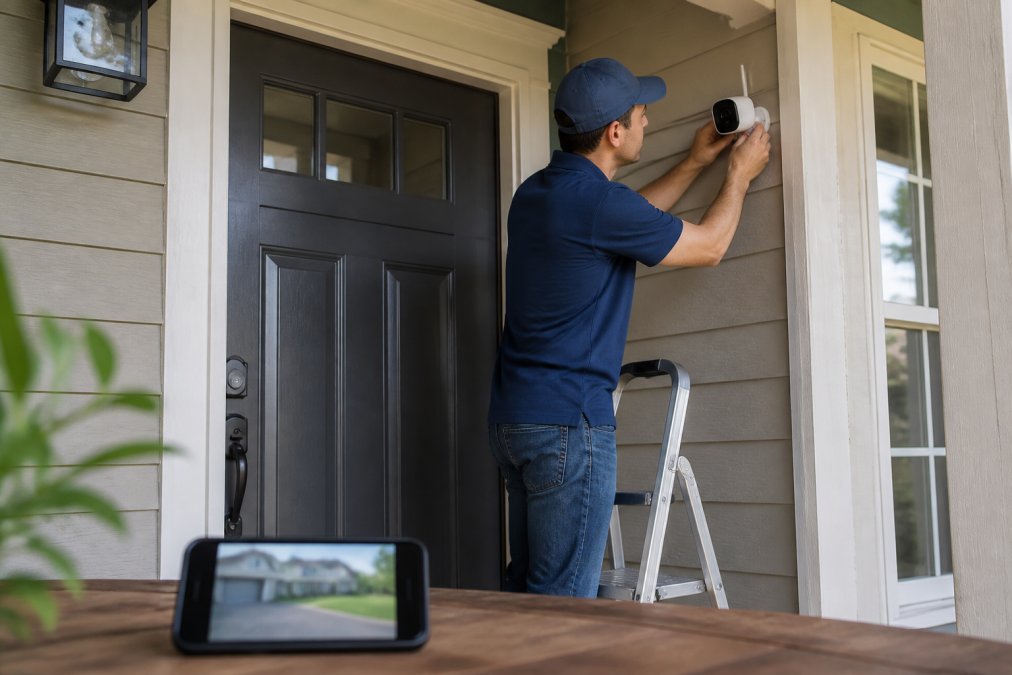
- Set up the hub and connect it to your Wi-Fi network
- Install the app and create your account
- Mount your first camera and confirm the live feed works
- Add door and window sensors to exterior entries
- Place leak sensors under sinks and near the water heater
- Test every notification by triggering each sensor once
- Label each device clearly in the app
Remote Home Monitoring Privacy Best Practices
Privacy is the part most buyers skip, and it matters most. A camera inside your home is a window into your life, and the company behind it controls where that footage goes. When the setup also tracks a family member's health, the stakes rise again.
Basic habits that reduce risk:
- Change the default password on every device immediately
- Turn on two-factor authentication in the app
- Keep device firmware updated
- Put cameras on a separate guest Wi-Fi network
- Check what data the manufacturer collects and whether it sells it
- Disable remote access features you do not use, such as cloud clips or third-party integrations
Health Data on Consumer Devices: What the Rules Do and Do Not Cover
Here is the gap most guides ignore: consumer smart devices are generally not covered by the federal health privacy rules that apply to doctors, hospitals, and health plans. A heart-rate wearable, a camera watching a parent's routine, or a blood pressure cuff syncing to an app usually falls outside that framework because the seller is not a covered health care provider.
What that means in practice:
- Read the data-sharing section, not the summary. Look specifically for whether the company shares data with "partners," "affiliates," or advertisers.
- Prefer devices that process health data on-device. If the reading stays on the device or the phone, there is less to leak.
- Turn off optional health-data sharing. Many apps default to sharing anonymized data; the toggle is usually buried in settings.
- Use a separate account for health devices. Keeping health monitoring on its own login limits what a single breach exposes.
- Delete old data on a schedule. Cloud history you no longer need is risk you no longer need.
Subscription Costs and Hidden Fees: A Cost-Benefit Breakdown
Subscriptions are where remote monitoring budgets quietly break. Hardware is a one-time cost, but cloud plans renew monthly, and features you assumed were included often sit behind a paywall.
| Feature | Free Tier | Paid Tier |
|---|---|---|
| Live view | Yes | Yes |
| Video history | Local card only | 30-60 days cloud |
| Person detection | Basic motion | AI-filtered |
| Cellular backup | No | Yes |
| Professional monitoring | No | Yes |
Conclusion
The hard part of remote monitoring is not buying devices. It is choosing a setup you will maintain, with notifications you trust and costs you can predict.
Frequently Asked Questions
Can I monitor my home remotely without a subscription?
Yes. Many smart home devices for remote monitoring work without monthly fees. Cameras with local microSD storage, motion sensors that send push notifications, and smart hubs that control devices locally all function without a paid plan. You give up cloud video history and some AI features, but live viewing, real-time alerts, and automation still work. Check the specs before buying: if a device lists local storage or ONVIF support, it can run subscription-free.
Which smart home devices are best for aging in place?
Motion sensors, door contact sensors, and video doorbells give caregivers the most useful picture of daily activity patterns. Pair them with a smart hub that sends automated notifications when something looks off, like no movement in the kitchen by 10 a.m. Wearable activity trackers add vital signs and fall detection. The goal is continuous monitoring without cameras in private spaces like bedrooms or bathrooms.
How do smart home hubs improve remote monitoring?
A smart hub ties separate devices into one connected ecosystem. Instead of opening five apps, you check one dashboard that shows cameras, sensors, thermostats, and locks together. Hubs also enable automation: if a motion sensor triggers, the hub can turn on lights and send an alert at the same time. Look for hubs that support Matter or Zigbee so you can add devices from different brands later.
What features should I look for in a remote monitoring camera?
Prioritize 1080p or higher resolution, night vision, two-way audio, and motion detection zones so you avoid false alerts. Check whether video goes to cloud storage or a local card, because that decides your monthly cost. Data encryption, both in transit and at rest, matters if you are monitoring family members. For outdoor use, confirm the camera is weather-rated. Latency also counts: a feed that lags 10 seconds is useless for real-time alerts.