

How to Avoid Fake Online Retailers: 7 Essential Steps
Table of Contents
- How to Avoid Fake Online Retailers: A Step-by-Step Approach
- Identifying Signs of a Fraudulent Website
- How to Check If a Website Is Secure Before Checkout
- Verifying Retailer Legitimacy and Customer Reviews
- Choosing Secure Payment Methods for Online Shopping
- How to Report Online Shopping Scams and Recover
- Common Mistakes to Avoid When Shopping Online
- Frequently Asked Questions
Last Updated: September 2, 2026
How to Avoid Fake Online Retailers: A Step-by-Step Approach
Fraudulent online retailers cost consumers billions annually, and the problem is getting harder to spot (the FTC). Scammers have become sophisticated at mimicking legitimate businesses, using professional-looking websites, stolen product images, and pressure tactics that exploit trust. This guide walks you through concrete steps to identify and avoid fake online retailers before you hand over your money or personal information.
At Tools, Handbags, and More, we understand the frustration of navigating an increasingly crowded online marketplace. We've compiled this comprehensive resource to help you shop safely and confidently, whether you're hunting for tools, handbags, drones, or specialty items. The steps below are designed to work whether you're evaluating a new retailer or double-checking a site you've never heard of.
Identifying Signs of a Fraudulent Website
A fraudulent website often reveals itself through poor design, vague contact information, and pricing that seems too good to be true. These aren't guarantees of fraud, but they're warning signals worth investigating before checkout.
Red flags in website design and contact information
Start with the basics: does the site look professional? Legitimate retailers invest in clean design, clear navigation, and high-quality product images. Fake sites often have pixelated photos, grammatical errors, or inconsistent branding. Check the footer for contact details. A real business provides a physical mailing address, phone number, and email. If you see only a contact form with no other way to reach them, that's a red flag.
Look at the domain name carefully. Scammers register domains that closely mimic popular retailers, like "amazn.com" instead of "amazon.com" or "target-official.com" instead of "target.com." These misspellings are intentional. Take thirty seconds to verify the exact spelling against the official site.
Check for an "About Us" page with substance. Legitimate retailers explain their history, mission, and team. Vague language like "we are committed to excellence" without specific details is suspicious. Real businesses have verifiable information: founding year, location, leadership names.
Suspicious pricing and countdown timers
If a product is priced 70% below market value, it's likely counterfeit, stolen, or doesn't exist. Scammers use artificially low prices to rush you into buying before you think critically. Compare pricing against established retailers. A significant gap isn't always fraud, legitimate discounters exist, but extreme discounts warrant investigation.
Countdown timers create artificial urgency. "Only 2 items left!" or "Sale ends in 3 hours!" pressure you to skip verification steps. Legitimate sales exist, but real retailers don't need to trick you into buying. If a site uses aggressive scarcity messaging, verify the legitimacy of the business before proceeding.
Pop-up ads and aggressive upselling are common on fraudulent sites. Multiple pop-ups offering discounts, fake security warnings, or "limited-time offers" suggest the site prioritizes conversion over customer experience. Legitimate retailers use pop-ups sparingly.
How to Check If a Website Is Secure Before Checkout
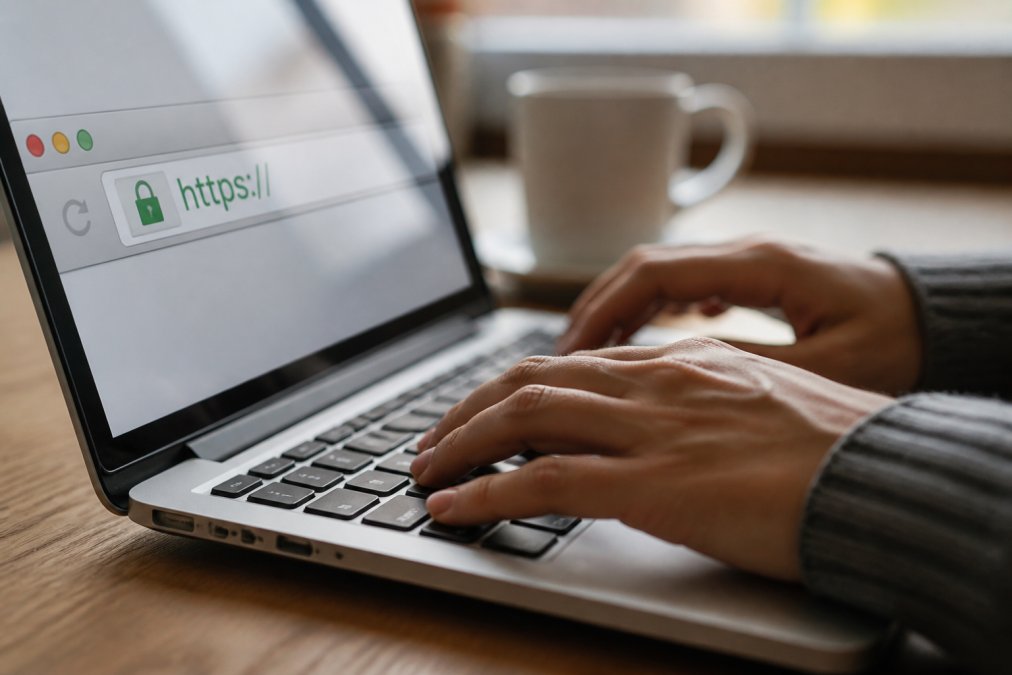
Security verification happens at the browser level. Before entering payment information, confirm the site uses encryption and has a legitimate domain history.
Verifying the SSL certificate and domain age
Look for "https://" at the start of the URL, not "http://". The "s" indicates an encrypted connection. Most modern browsers show a padlock icon next to the address bar when a site is secure. Click the padlock to view the SSL certificate details. The certificate should match the domain name exactly.
Check the domain age using a WHOIS lookup tool (icann.org). Scam sites are often registered recently, while established retailers have domains registered years ago. A domain registered last month selling high-end products is suspicious. Tools like WHOIS.net or Domain.com provide registration dates for free. Look for domains registered at least two to three years ago as a baseline for legitimacy.
Verify the certificate issuer. Major certificate authorities include DigiCert, GlobalSign, and Sectigo. Unknown or suspicious certificate issuers are a red flag. The certificate should also show an expiration date, if it's expired, don't proceed.
Using reverse image search on product photos
Scammers steal product images from legitimate retailers. Reverse image search reveals whether the photos are original. Right-click a product image on the suspicious site and select "Search Image with Google" or use Google Images directly. If the same photo appears on multiple unrelated sites, the retailer likely doesn't own the inventory.
This technique catches counterfeiters and dropshippers who source inventory from elsewhere without disclosure. Legitimate retailers either take original photos or clearly license images from suppliers. If a product image appears on ten different retailer sites with different branding, the site you're on probably doesn't actually have that item in stock.
Verifying Retailer Legitimacy and Customer Reviews
Authentic customer feedback reveals whether a retailer delivers what it promises. Fake reviews are common, but patterns of genuine feedback are harder to fabricate.
Checking seller ratings and authentic customer feedback
Visit third-party review sites like Trustpilot, the Better Business Bureau, or Google Reviews. Don't rely solely on reviews hosted on the retailer's own website, those are curated. Independent review platforms show unfiltered feedback. Look for patterns: are complaints about shipping delays, product quality, or refunds consistent? Do positive reviews sound like real customers or generic marketing copy?
Read recent reviews carefully. A site with five-star reviews from two years ago but nothing recent is suspicious. Active, recent feedback shows the business is currently operational and customers are still buying. Watch for reviews that mention specific product issues, shipping times, or customer service interactions, those sound authentic. Generic praise without detail is often fabricated.
Check the number of reviews relative to the business age. A retailer with 500 reviews in six months is unusual. Steady, gradual review growth is more credible than sudden spikes, which can indicate fake review campaigns.
Evaluating social media presence and advertisements
Legitimate retailers maintain active social media accounts with consistent posting and genuine engagement. Visit their Facebook, Instagram, or LinkedIn pages. Do they respond to customer comments? Is the content recent? A retailer with no social media or inactive accounts for months is questionable.
Be cautious of social media advertisements offering steep discounts or "exclusive deals." Scammers use targeted ads to reach specific demographics. Hover over the ad to see the advertiser details. Click "Why am I seeing this ad?" to verify the business information matches the retailer's claimed identity.
Check whether the retailer's social media accounts have verification badges (blue checkmarks on Facebook and Instagram). Verified accounts indicate the platform has confirmed the account belongs to the official business. Fake accounts sometimes mimic verified ones with slight name variations.
Choosing Secure Payment Methods for Online Shopping
Your payment method determines your fraud protection if something goes wrong. Different methods offer varying levels of recourse.
Credit cards offer strong fraud protection through chargeback processes. If you dispute a charge within 60 days, your credit card company investigates and often refunds the amount while they investigate (federalreserve.gov). This protection exists even if the retailer refuses a refund. Use credit cards for unfamiliar retailers specifically because of this protection.
Debit cards carry higher risk. Debit card fraud takes longer to resolve, and your money is gone immediately. You have limited recourse if the retailer is fraudulent. Avoid debit cards for online purchases from unknown retailers.
PayPal and similar payment services add a layer of protection. These platforms can hold disputed transactions and mediate between you and the retailer. They also keep your financial information private, the retailer never sees your bank account or credit card details.
Avoid wire transfers, gift cards, cryptocurrency, or direct bank transfers. These payment methods offer no fraud protection and no way to reverse the transaction. Scammers demand these methods specifically because the money is irretrievable once sent.
How to Report Online Shopping Scams and Recover
If you've already been defrauded, immediate action improves your chances of recovery.
Immediate steps if you suspect fraud
Contact your bank or credit card company within 24 hours of discovering the fraud. Report the unauthorized charge and request a dispute. Provide any evidence: the retailer's website address, order confirmation emails, and communication records. Your bank will freeze the transaction and begin an investigation.
Document everything. Save emails, screenshots of the website, order confirmations, and any communication with the retailer. If the site is still active, capture screenshots showing the domain, design, and product listings. This evidence supports your dispute claim.
Change your password if you created an account on the fraudulent site. If you used the same password elsewhere, change those accounts too. Monitor your email for suspicious activity or password reset requests.
Check your credit report for unauthorized accounts or inquiries. Use AnnualCreditReport.com to access your free credit report from the three major bureaus. Report any fraudulent accounts immediately to the credit bureau.
Filing complaints with the FTC and your bank
Report the scam to the Federal Trade Commission at ReportFraud.ftc.gov. The FTC collects fraud complaints to identify patterns and shut down scam operations. Provide the retailer's website, your transaction details, and any communication with the scammer. The FTC doesn't resolve individual cases, but your report contributes to enforcement actions.
File a complaint with your state's attorney general office. Most states have consumer protection divisions that investigate fraud. Your complaint adds to the case against the scammer if others have reported them.
If you paid by credit card, your card company has a formal dispute process. Request a chargeback form and submit it within the timeframe specified (typically 60 days). Include all documentation supporting your claim.
For wire transfers or direct bank payments, contact your bank immediately. While these are harder to reverse, your bank may be able to recall the transfer if the receiving account hasn't withdrawn the funds.
Common Mistakes to Avoid When Shopping Online
Most fraud victims made one critical error in their verification process. Learning these mistakes prevents you from repeating them.
Trusting a site because it looks professional is the most common mistake. Modern website builders make it easy to create polished-looking sites in hours. Professional design no longer indicates legitimacy. Verify independently rather than relying on visual cues alone.
Ignoring the domain name is another frequent error. Spending five seconds checking the exact spelling of the domain against the official website catches most phishing attempts. Scammers count on you not noticing the subtle misspelling.
Assuming a low price means a good deal rather than a red flag. Extreme discounts on popular items (Stanley tumblers, designer handbags, drones) are almost always fraud. If the price seems unrealistic, it probably is.
Skipping the SSL certificate check because "the site looks secure" leaves you vulnerable. The padlock icon and https:// are non-negotiable. If they're missing, don't enter payment information under any circumstances.
Buying from sites with no contact information or only a contact form. Legitimate businesses provide phone numbers and physical addresses. If you can't call them, you can't resolve problems after purchase.
Not checking independent reviews before buying. Relying solely on the retailer's own website reviews means you're seeing only positive feedback. Third-party review sites reveal genuine customer experiences, including problems.
Using debit cards or wire transfers for unknown retailers. These payment methods offer no fraud protection. Always use credit cards, PayPal, or similar services that allow you to dispute charges.
Clicking links in emails or social media ads without verifying the URL. Phishing emails look identical to legitimate retailer communications. Type the retailer's URL directly into your browser instead of clicking links.
Shopping online doesn't have to mean accepting fraud risk. The verification steps outlined above take minutes but prevent costly mistakes. Before checkout, verify the domain, check the SSL certificate, read independent reviews, and use a secure payment method. Tools, Handbags, and More prioritizes customer safety and transparency. When you're ready to shop with confidence, we're here to help you find exactly what you need, whether it's in stock or through our custom sourcing service.
Frequently Asked Questions
What are the most common signs of a fake online retailer?
Fake retailers typically display poor website design, spelling errors, and blurry product photos. They often use suspicious pricing tactics like extreme discounts or countdown timers creating false urgency. Missing or vague contact information, no physical address, and an absence of customer reviews are major red flags. Check the domain age, newly created sites warrant extra scrutiny. Legitimate retailers maintain professional websites, clear return policies, and verifiable customer feedback across multiple platforms.
How do I check if a website is secure before entering payment information?
Look for 'https://' at the start of the URL and a padlock icon in the address bar, these indicate an SSL certificate protecting your data. Avoid entering payment details on public Wi-Fi networks. Use domain verification tools to check when the website was created and who registered it. Be wary of sites requesting unusual payment methods like wire transfers or cryptocurrency. Legitimate retailers use secure payment gateways and offer two-factor authentication options for account protection.
How can I report an online shopping scam if I've already been victimized?
Contact your bank or credit card company immediately to report the fraudulent charge and request a chargeback. File a complaint with the Federal Trade Commission (FTC) at reportfraud.ftc.gov, which helps track scam patterns. If the scam involved identity theft, place a fraud alert with the three major credit bureaus (Equifax, Experian, TransUnion). Document all communications with the retailer and keep screenshots of the website and transaction details. Consider filing a police report for serious cases involving significant financial loss.
Are social media advertisements reliable for finding legitimate online retailers?
Social media ads can promote both legitimate and fraudulent retailers, so verification is essential. Click through to the retailer's official website rather than shopping directly from the ad link. Check the advertiser's profile for verification badges and established posting history. Look for customer reviews independent of the ad platform. Be especially cautious of pop-up ads and sponsored content promoting celebrity endorsements or too-good-to-be-true deals. Legitimate brands invest in professional advertising but always verify the company separately before making a purchase.
This article was written using GrandRanker