

Smart Home Alternatives to Google Home: 2026 Guide
Table of Contents
- Why People Are Looking for Smart Home Alternatives to Google Home
- Privacy-Friendly Smart Home Hubs That Keep Data Local
- How to Set Up a Local Smart Home Without Cloud Reliance
- Migrating from Google Nest to Other Platforms: A Step-by-Step Path
- Top Smart Home Alternatives to Google Home Compared
- Hardware, Energy, and Longevity: What Competitors Miss
- Conclusion
- Frequently Asked Questions
Last Updated: September 18, 2026
Why People Are Looking for Smart Home Alternatives to Google Home
Frustration with cloud dependency drives most searches for smart home alternatives to Google Home, and the reasons are practical rather than ideological. Devices that stop working when the internet drops, recordings stored on servers you don't control, and hardware that loses support after a few years all push people to look elsewhere. This guide from Tools, Handbags, and More breaks down the realistic options, from privacy-friendly hubs to fully self-hosted setups, plus what the switch actually costs in time and money.
The core tension is simple: convenience versus control. Google's ecosystem is polished and cheap to enter, but every routine, voice command, and camera feed routes through remote servers. That trade-off works fine until it doesn't.
Privacy-Friendly Smart Home Hubs That Keep Data Local
Privacy-friendly smart home hubs process automation rules and device data on hardware inside your home rather than in a remote data center. The best-known open-source option is Home Assistant, which runs on a small local server and supports thousands of device integrations. Hubitat offers a similar local-first approach with a simpler interface, while Apple's HomeKit architecture keeps much of its automation logic on a local hub device.
Here's how the main categories compare:
| Platform | Where Logic Runs | Best For | Setup Difficulty |
|---|---|---|---|
| Home Assistant | Local server | Tinkerers, large setups | Moderate to high |
| Hubitat | Local hub | Beginners wanting local control | Low |
| HomeKit | Local hub + cloud mix | Apple households | Low |
| Open-source voice stacks | Local server | Voice control without cloud | High |
How to Set Up a Local Smart Home Without Cloud Reliance
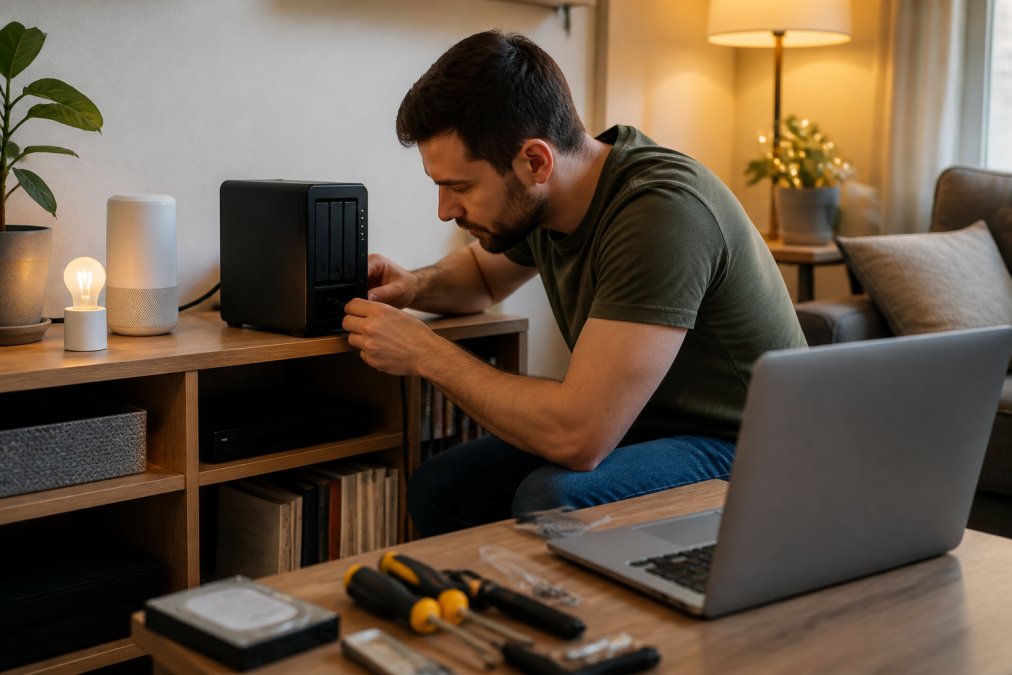
Setting up a local smart home means running an automation controller on your own hardware, connecting devices over local protocols, and keeping voice and remote access optional. You don't need to rip out everything at once. Start small, prove it works, then expand. This is the non-technical path, no command line required for the first month.
Step 1: Pick a hub you can live with
Three realistic options, ranked by how much patience they demand:
- A dedicated hub appliance (Hubitat or similar): plug it in, follow the wizard, done. Best for households that want local control without a project. Least flexible.
- A Raspberry Pi kit: roughly $80-$150 for board, case, power supply, and storage. The most common entry point for Home Assistant. You'll need to flash an image to a microSD card or SSD, a 15-minute task with a guided tutorial, not a coding task.
- A mini PC (Intel N100-class or similar): $150-$300. More headroom for cameras, add-ons, and voice processing. Overkill for a first setup, but the right call if you know you'll expand.
Step 2: Install the platform
Home Assistant and Hubitat both offer guided first-boot wizards. Home Assistant's onboarding walks you through creating an account, detecting your network, and adding your first devices. Budget 30-60 minutes for the install and first boot, and don't be alarmed if the first boot takes longer than expected on a Pi, that's normal.
Step 3: Connect devices one room at a time
This is where most beginners stall, because not all 'smart' devices are equally local:
- Zigbee and Z-Wave devices pair directly to a local coordinator and keep working without internet. This is the category to standardize on.
- Wi-Fi devices vary wildly. Some expose a local API; many require a vendor account and route commands through the cloud, which defeats the purpose.
- Matter-over-Wi-Fi and Matter-over-Thread devices are increasingly the safest bet for new purchases, because they're designed to work across ecosystems.
Step 4: Rebuild your routines as automations
Recreate what you had, but locally. The trap here is trying to replicate every routine on day one. Instead, pick the three automations your household actually notices, morning lights, evening wind-down, away-mode, and get those rock-solid first. Everything else can wait.
Step 5: Add voice last
What you'll need: a hub device, a stable home network, and a few hours for the first room. Expect the initial setup to take an afternoon, with refinements over the following weeks. If you can follow a recipe, you can do this.
Migrating from Google Nest to Other Platforms: A Step-by-Step Path
Migrating from Google Nest to other platforms works best as a staged handover, not a single weekend project. Run both systems in parallel while you rebuild automations, then retire Google devices once the new setup is stable. The migration path is the part most guides skip, and it's where non-technical users get stuck.
Birdfy Smart Bird Feeder Camera →
- Weeks 1-2: Set up the new hub and connect a handful of devices in one room.
- Weeks 3-4: Recreate your most-used routines and test them daily.
- Weeks 5-6: Move remaining devices, keeping Google as a fallback.
- Week 7+: Remove Google devices and cancel any subscriptions.
Top Smart Home Alternatives to Google Home Compared
The best smart home alternatives split into three groups: local-first hubs, open-source voice assistants, and hybrid platforms that mix local and cloud processing. Which one fits depends on how much tinkering you'll tolerate and how much you value privacy.
Hardware, Energy, and Longevity: What Competitors Miss
Three factors rarely appear in comparison guides, yet they decide whether a local setup is worth it: energy consumption, hardware longevity, and what I'd call the partner acceptance factor. Most roundups list platforms and stop there. Here's the part they skip.
Energy: what a local hub actually draws
A local controller runs 24/7, so its idle draw matters more than its peak draw. The pattern most practitioners report:
- Raspberry Pi 4 or 5 (4-8 GB): roughly 3-7 watts idle, spiking higher under load. At a typical residential electricity rate, that's on the order of a few dollars per year, comparable to a smart speaker sitting in standby.
- Small mini PC (Intel N100-class): typically 6-15 watts idle. Still cheap to run, but you'll notice it on a kill-a-watt meter.
- Repurposed desktop tower: 30-80 watts idle or more. This is where the math turns against you, an always-on desktop can add meaningfully to a monthly bill, and it's the single most common mistake people make when they 'just use an old PC.'
Longevity and e-waste: the strongest argument for local
Cloud platforms retire hardware on the vendor's schedule, not yours. When a vendor shuts down a server or ends support, working devices become e-waste overnight, speakers that still play music, cameras that still capture images, hubs that still route Zigbee traffic. This has happened repeatedly across the category, and it's the risk every cloud-dependent device carries.
- Repurpose, don't replace. Many older smart speakers can serve as local audio endpoints or Bluetooth targets even after their original cloud service is gone. Before you recycle anything, check whether it exposes a local API or can be flashed with community firmware.
- Standardize on local protocols. Zigbee and Z-Wave devices pair to a local coordinator and keep working regardless of what happens to the manufacturer. Wi-Fi devices that require a vendor account are the ones most likely to brick.
The partner acceptance factor
A local setup that needs weekly maintenance will frustrate everyone else in the house. The pattern that works: choose a platform you can leave alone for months, keep a cloud fallback for the two or three routines your household actually relies on daily, and never let a broken automation become someone else's problem to debug. If your partner has to think about the smart home, the smart home has failed.
Conclusion
Moving away from a major cloud platform is a project, not a purchase, and the hardest part is deciding how much control you actually want. If you'd rather spend your time enjoying your home than maintaining it, Tools, Handbags, and More can help you find the right devices to start with. We offer a custom sourcing service for items not currently in stock, access to a wide variety of product categories, and personalized assistance finding specific gear.
Frequently Asked Questions
What is Google Home being replaced with?
Google Home is being replaced by a mix of privacy-focused platforms like Home Assistant, Hubitat, and Apple HomeKit. Many users switch to these smart home alternatives to Google Home because they want local processing, better data privacy, and no reliance on cloud servers. Each platform offers different levels of interoperability and ease of setup, so the best choice depends on your devices and technical comfort.
Is Amazon Alexa a better alternative to Google Home?
Alexa and Google Home share similar cloud-based architectures, so switching between them does not solve privacy concerns. If you want local processing and data sovereignty, look at open-source options like Home Assistant or privacy-friendly hubs such as Hubitat. Alexa may offer broader device compatibility, but both platforms send voice data to remote servers. Consider what matters more: ecosystem size or keeping data on your own network.
How do I migrate my smart home devices to a new platform?
Start by listing every device and its protocol (Zigbee, Z-Wave, Wi-Fi, Matter). Check whether your new hub supports those protocols. Remove devices from Google Home one at a time, then pair them with the new controller. For migrating from Google Nest to other platforms, expect to reconfigure automations and routines manually. Allow a weekend for the transition and keep your old system running until the new one is stable.
Are there open-source alternatives to Google Home?
Yes. Home Assistant is the most widely used open-source automation controller. It runs on a local server, supports thousands of smart devices, and offers full customization without cloud dependency. OpenHAB is another option with strong interoperability. These platforms require more initial configuration than Google Home, but they give you complete control over data privacy, firmware updates, and long-term scalability.